
01 / DESIGN · PRO
Shape your subwoofer enclosure.
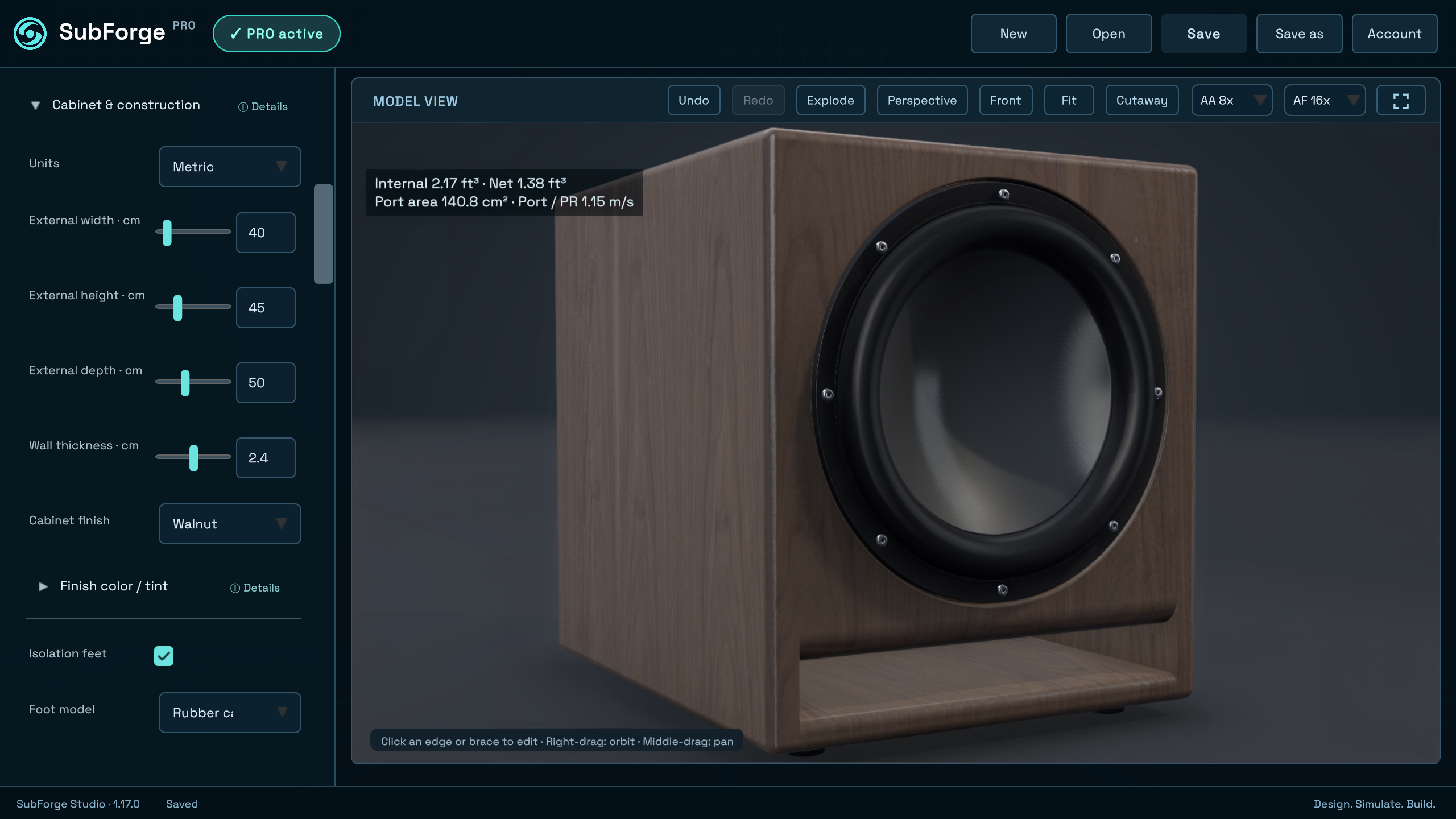
Explore cabinet dimensions, wall thickness and the walnut finish in this Pro example.
Explore subwoofer enclosure design →WINDOWS SOFTWARE FOR SUBWOOFER BUILDERS
Your all-in-one design workspace.
Design in 3D and explore your enclosure’s predicted acoustic performance as you adjust your design.
Imagine. Design. Analyse. Build.
€0 · Windows x64 · No account or payment details
Try the browser demo now. Download the desktop app when you are on a Windows PC.
Windows download & installation steps →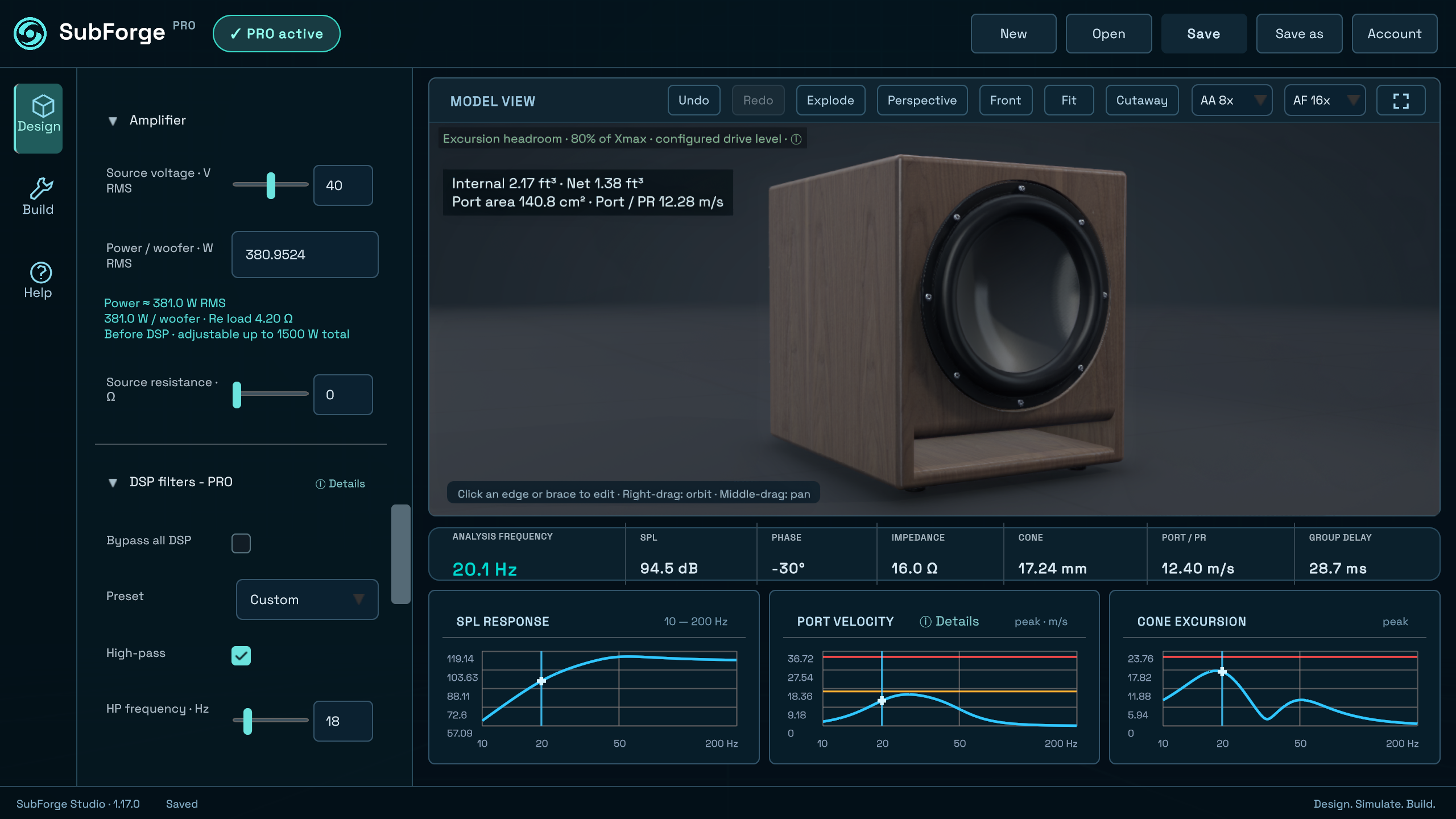
Adjust the enclosure dimensions and move the woofer in the 3D view.
Explore predicted SPL, impedance and cone excursion for the example.
Save your project and continue on your Windows PC.
Editing driver / T&S data, amplifier and loss settings requires Basic or Pro. Explore paid editions →
DESIGN. ANALYSE. BUILD.
One workspace for your driver, enclosure and predicted acoustic response.
Explore cabinet dimensions, wall thickness and the walnut finish in this Pro example.
Explore subwoofer enclosure design →See predicted SPL, port velocity and cone excursion together with amplifier and DSP settings.
Understand acoustic simulation →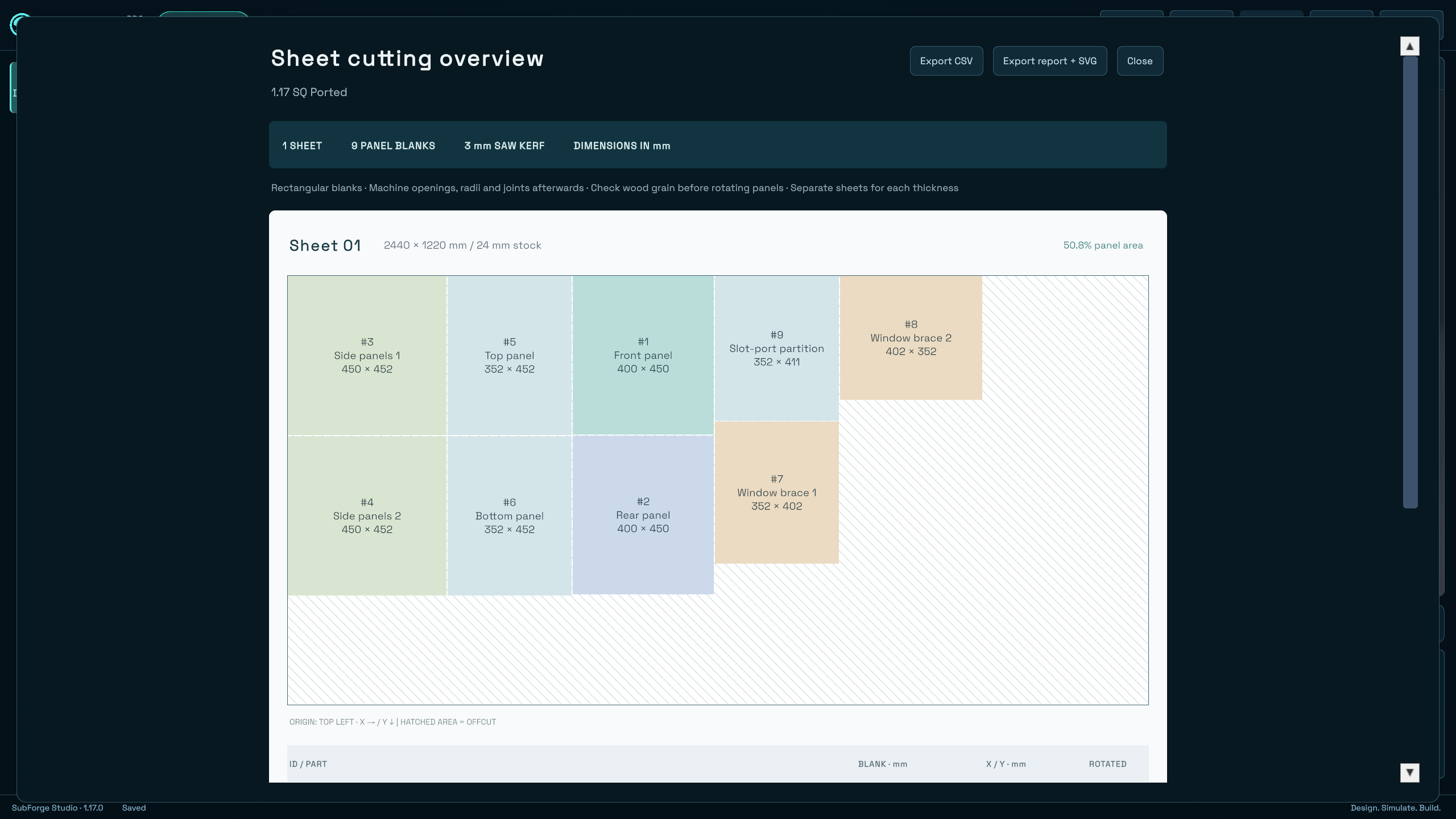
Explore the sheet layout and panel blank list for the same enclosure. Open both Build captures below.
Explore build preparation →Actual SubForge 1.17.0 captures · Pro example · Available for Windows now
IMAGINE. DESIGN. ANALYSE. BUILD.
From a finished cabinet to the parts inside. Explore the panels, slot port and bracing in this exploded view of the same walnut enclosure.
Press play for a closer look.
Explore the Design workspace →Enlarge Design ↗BUILD / SUBFORGE 1.17.0 · PRO
See the rectangular panel blanks on the sheet, then review their sizes, positions and rotations.
One sheet, nine panel blanks and the remaining offcut area.
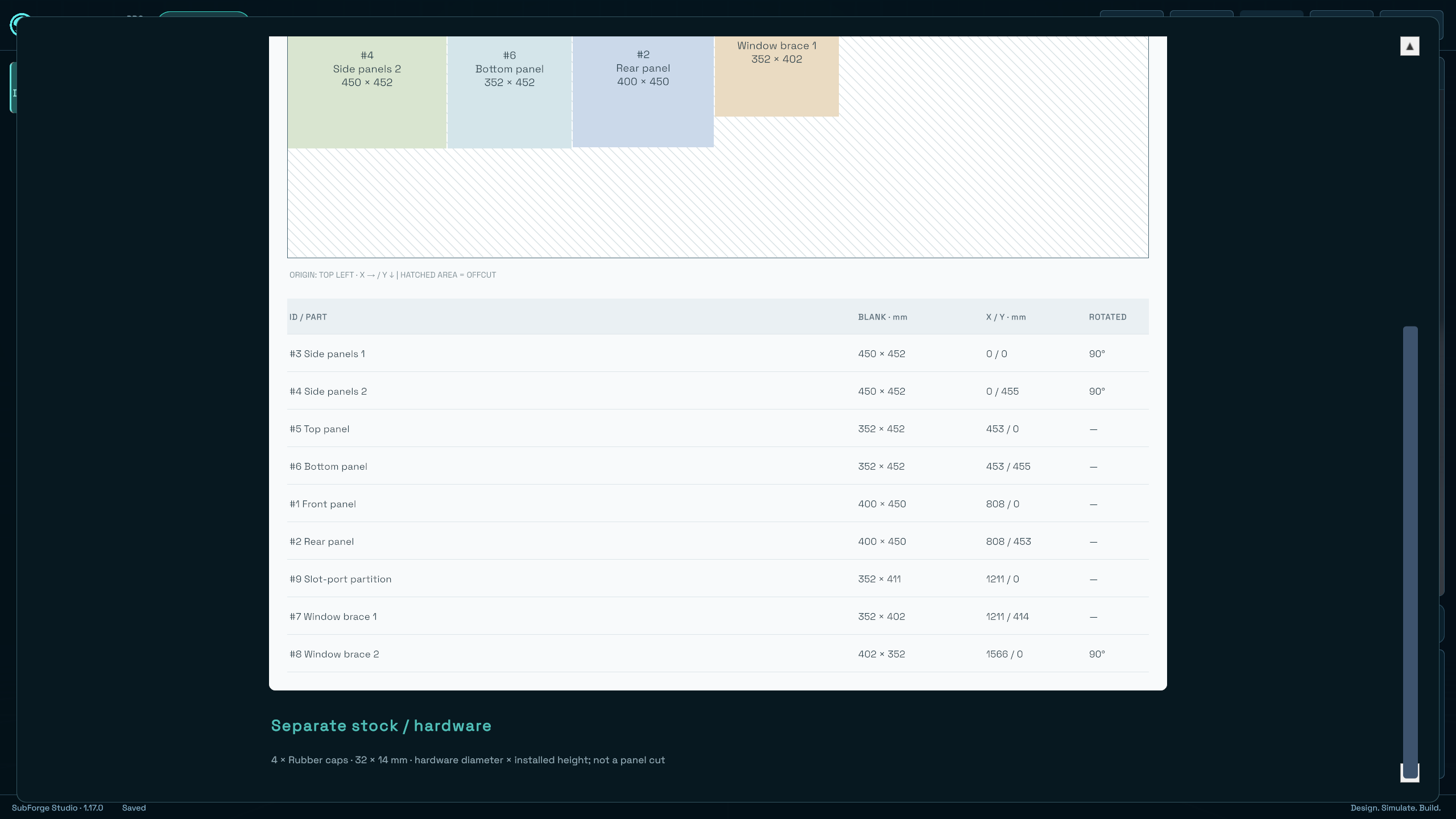
Panel sizes, sheet positions and rotations, with hardware listed separately.
Actual 1.17.0 captures · Pro example · Rectangular blanks: machine openings, radii and joints afterwards. Verify dimensions and construction details before cutting.
FOR DIE-HARD SPL BUILDERS
For builders who don’t stop at one subwoofer.
Four inverted subs. Six aeroports. Because sometimes, “enough” is only the starting point.
Find the edition for your next build →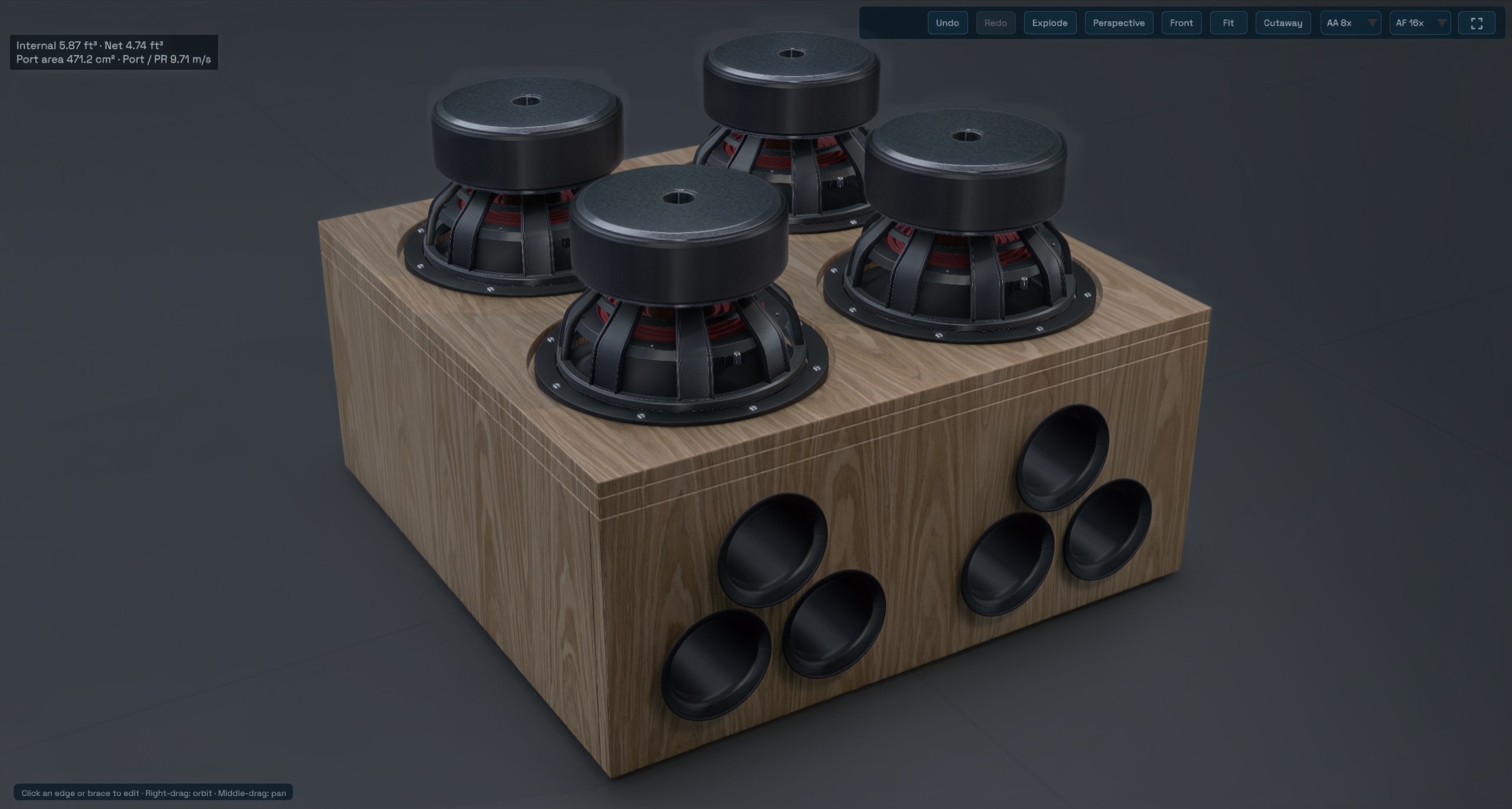 Enlarge still ↗
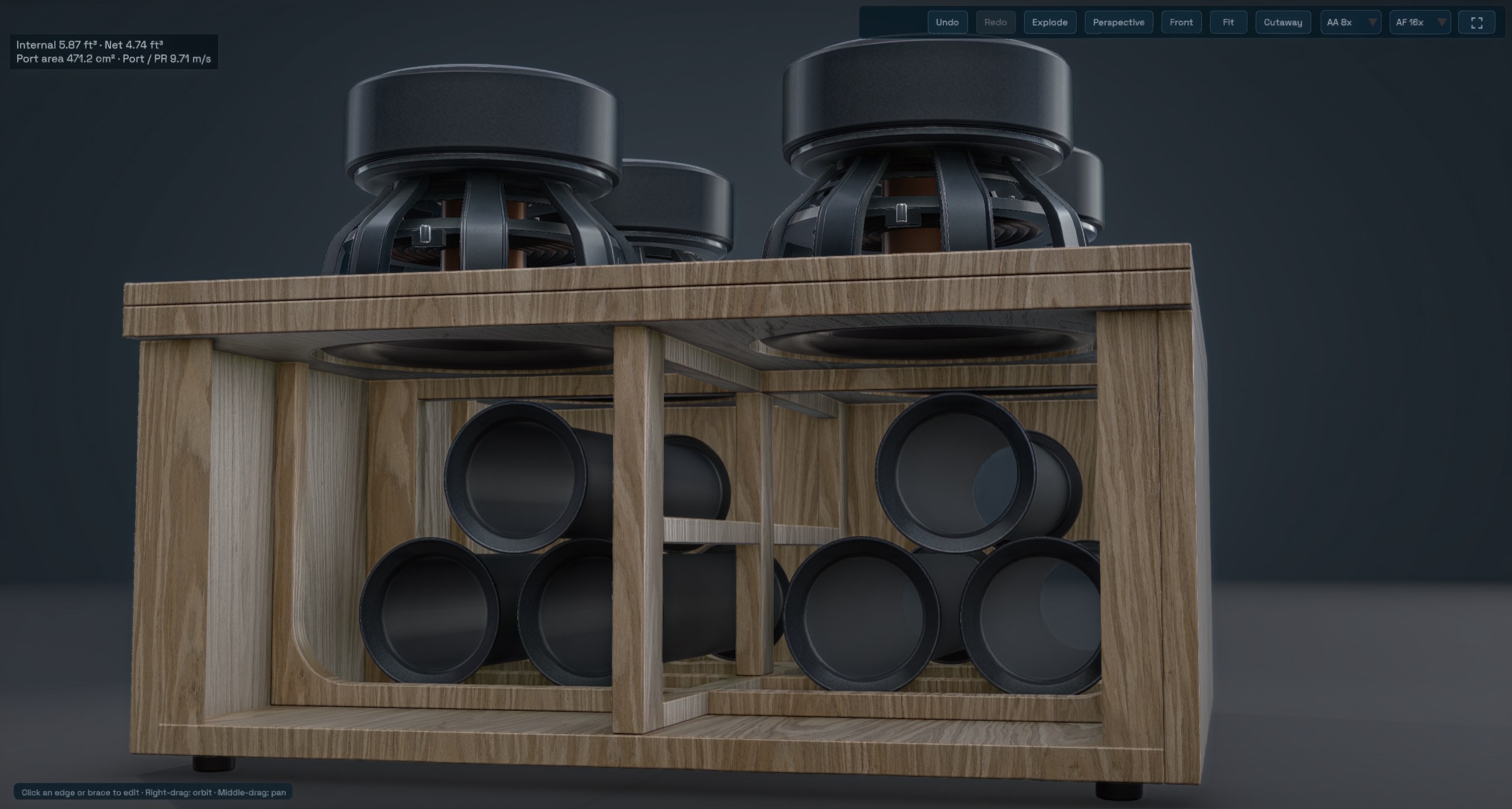
See the port layout and internal bracing in the cutaway view.
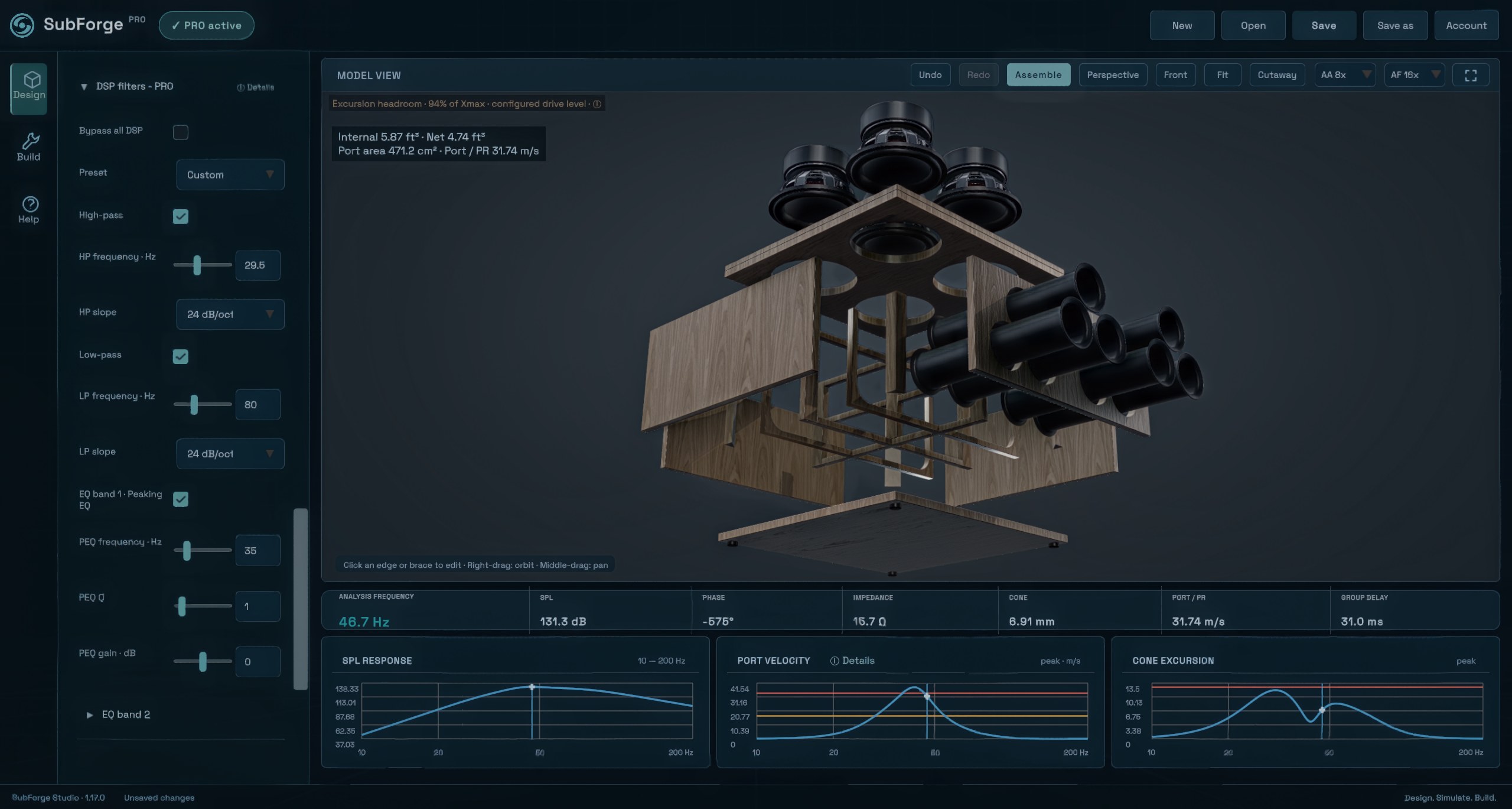
Explore the panels, drivers and ports in an exploded view.
Actual SubForge Pro captures · Example design · Multiple drivers and ports require Basic or Pro. Compare features →
START SMALL. EXPLORE MORE.
Start with a slotport design. Adjust cabinet dimensions, explore response graphs and save your project. Driver / T&S editing requires Basic or Pro.
Start with Free ↓No registration or payment required.
Keep the executable and supporting files together.
Choose Continue with Free and explore your first slotport design.
GOOD TO KNOW
Sealed and bass-reflex designs are available in every edition. Free supports up to two drivers, standard slotports and up to two round ports. Basic adds Aeroports and construction options; Pro adds passive radiators and advanced design tools. Compare editions ↗
Yes. Download and open SubForge. Choose Continue with Free. No account or registration is needed. Basic and Pro are optional paid editions; compare their features and current prices on the Editions page.
It is a concept. Verify joints, tolerances, cutouts and hardware before building. Check simulation results with physical measurements.
A Windows x64 PC. Free works without an account or internet connection. Basic / Pro require a verified account and online licence checks. The interface is in English.
YOUR NEXT ENCLOSURE
Start with Free. Choose Basic or Pro when your build needs more.