Cabinet & construction
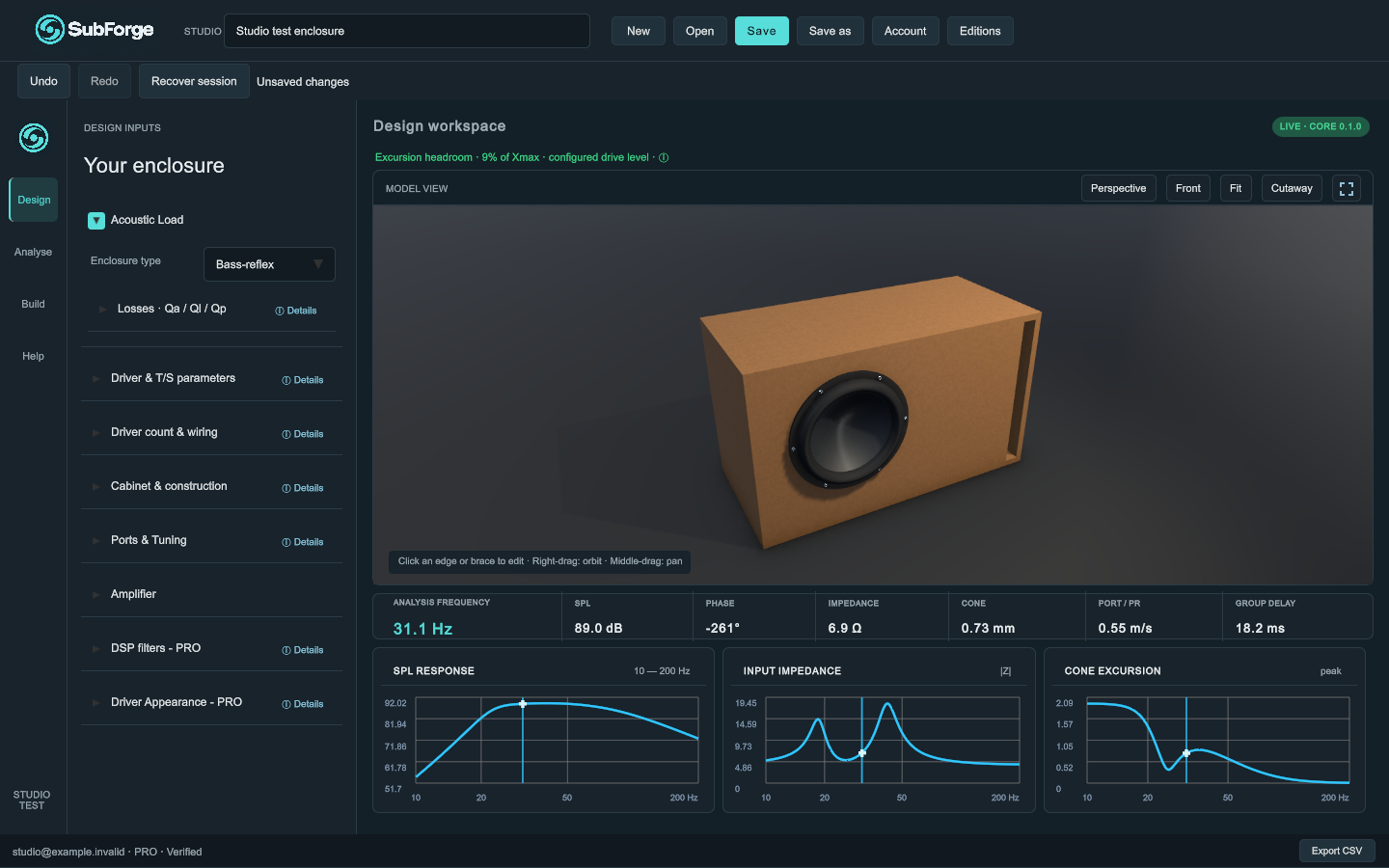
Set cabinet dimensions and wall thickness. Configure baffles, bracing, edge radii and materials. Select an edge or brace in the viewport to edit it.
Explore Design ↗ Try the demo
Driver data, cabinet construction and acoustic analysis in one workspace. Shape your subwoofer in 3D and see how your settings affect its response.
Windows desktop · English interface · Free / Basic / Pro
THE TOOLS IN YOUR WORKSPACE
The same controls and terminology
you will find in SubForge Studio.
Feature access depends on your edition.
Set cabinet dimensions and wall thickness. Configure baffles, bracing, edge radii and materials. Select an edge or brace in the viewport to edit it.
Explore Design ↗Read SPL response, input impedance and cone excursion together. The frequency inspector adds phase, port or passive-radiator motion, and group delay.
Explore Analyse ↗Open engineering checks and the conceptual cut list. Export simulation results as CSV or a printable construction report for further review.
Explore Build ↗Filter the driver catalogue by manufacturer, select a model or enter your own T/S values. Configure voice coils, driver count and series/parallel wiring.
Driver data and wiring ↗Set source voltage up to 100 V RMS and source resistance. Pro adds high-pass and low-pass filters at 6, 12, 18 or 24 dB/oct, plus parametric EQ.
Amplifier and DSP controls ↗Use New, Open, Save and Save as for JSON projects. Undo, Redo and Recover session help you work through design changes. Compare permitted designs.
Projects and recovery ↗INTERACTIVE WEB EXAMPLE
More volume. A different response.
Explore the relationship in this
interactive sealed-enclosure demo.
 SEALED-BOX EXAMPLE WEB DEMO
This demo models an ideal sealed enclosure with fixed Fs and Vas, without losses, DSP, or room effects. The application screenshots above show a separate bass-reflex project. This web example is not the desktop simulation engine.
DESIGN / ANALYSE / BUILD
Select your acoustic load and driver data. Set cabinet dimensions, ports and construction details in the left inspector.
Switch to larger response graphs. Inspect a frequency, check excursion against Xmax and adjust amplifier or DSP settings.
Review the conceptual cut list and engineering checks. Pro includes CSV results and a printable construction report.
SUBFORGE STUDIO / WINDOWS PREVIEW
Give it shape with SubForge. Explore the workflow,
review the available tools and edition access.
The Windows download is not yet available on this website. See the getting-started guide for setup and account information.
GOOD TO KNOW
Your questions, answered.
For DIY builders, audio enthusiasts, and designers exploring subwoofer enclosures through 3D geometry and acoustic simulation. A basic understanding of driver parameters helps you interpret the results.
The simulation core supports sealed enclosures, infinite baffle, bass reflex, and passive radiators. Choose the load in Acoustic Load. Free is limited to single-driver sealed designs; other loads require Basic or Pro.
The app has Free, Basic and Pro editions with account sign-in and online licence verification. Free covers single-driver sealed designs and response graphs. Basic adds advanced enclosures and construction; Pro adds DSP and build/export tools. Basic costs €49 and Pro costs €99, including one year of updates. You keep your version when updates end; an optional extra update year costs €29. Compare editions and update terms. Create your account, try Free, or buy Basic or Pro through the secure account page. Download the Windows app from Downloads.
This preview is a design tool. The cut list is conceptual: verify joints, tolerances, cutouts, and actual hardware before manufacturing. Simulations do not replace measurements.
The current Studio preview targets Windows x64. There is no Android release offered here. No macOS or iOS versions are offered on this website.