
SUBFORGE / WINDOWS APP
Download SubForge
for Windows.
Subwoofer enclosure design software with a 3D cabinet view and predicted acoustic response. Start with Free for Windows x64.
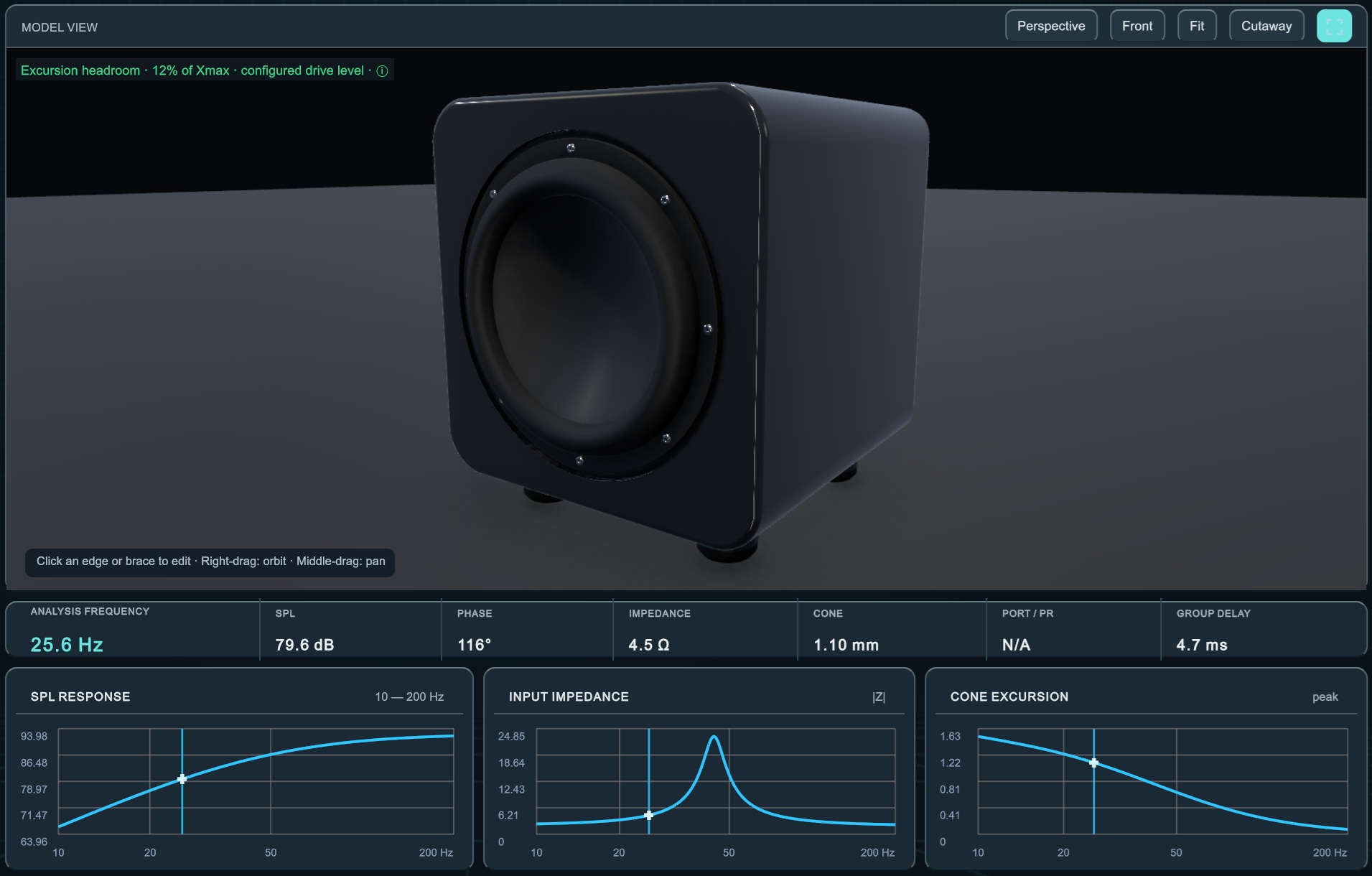
Design in 3D. See how your enclosure responds.
SubForge Studio
One app. Start with Free, or unlock more tools with Basic or Pro.
- Current release
- 1.17.0
- Platform
- Windows x64
- Download
- ZIP · 283 MiB
Free needs no account. Register only when you choose Basic or Pro. Compare editions
Take a quick look in the web demo →GET UP AND RUNNING
From download to your first design.
- 01
Download the ZIP
Download the Windows ZIP directly. No registration, email verification or payment required.
- 02
Extract the files
Right-click the ZIP and choose Extract all. Keep the extracted files and folders together.
- 03
Open SubForge
Start SubForge.exe. Choose Continue with Free in the startup menu, or sign in to use your purchased Basic or Pro edition.
GOOD TO KNOW
A little help before you start.
Which edition should I download?
Free, Basic and Pro use the same Windows app. Your account determines the tools available. Free includes up to two drivers, sealed and bass-reflex designs, standard left/right/center slotports, up to two round ports, SPL and cone excursion graphs, and saved projects. Basic adds Aeroports and construction options; Pro adds advanced geometry, DSP and exports.
What if Windows shows a publisher warning?
The current release is unsigned, so Windows may show an unknown-publisher warning. Download from SubForge and verify the file against the published SHA-256 checksum.
Can I use SubForge on a phone or Mac?
The desktop app runs on a Windows x64 PC. You can explore the web demo in your browser on other devices.
Already bought Basic or Pro?
Download the same app and sign in with the account linked to your purchase. Your edition unlocks automatically after licence verification.
Ready to explore more?
Compare the tools in Basic and Pro, or get help with your download.